
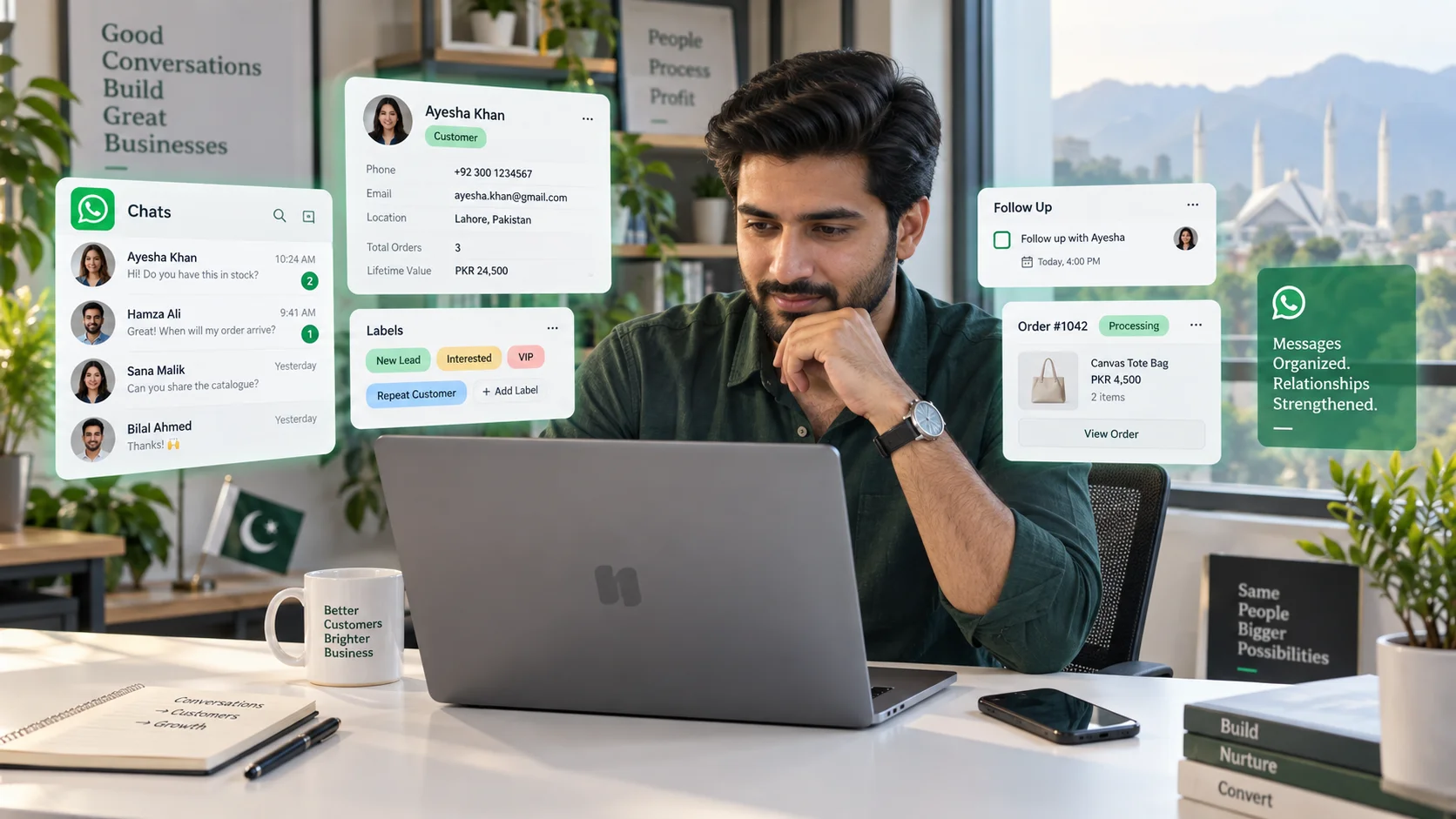
WhatsApp is excellent at starting conversations. The problem begins when a business receives dozens—or hundreds—of those conversations every day.
One customer asks whether a product is available. Another wants to change an order. A new lead asks for pricing. Someone who spoke to your team yesterday comes back today and gets a completely different agent. At that point, WhatsApp alone is no longer enough.
A WhatsApp CRM adds the customer context, team ownership, history and workflows that businesses need to turn individual chats into an organized customer operation. This guide explains what a CRM for WhatsApp actually is, how it works, when you need one and what to look for before choosing a platform.
What is a WhatsApp CRM?
A WhatsApp CRM is a customer relationship management system that connects WhatsApp conversations with customer profiles, team workflows and business data.
Instead of every conversation living only inside a phone or basic inbox, the CRM can associate it with information such as:
- name and contact details
- previous conversations
- tags, labels or lead stage
- assigned team member
- support tickets
- orders or purchase history
- internal notes
- conversation status and follow-up tasks
The key distinction is simple: WhatsApp is the communication channel; the CRM is the operating layer around the relationship.
Is WhatsApp itself a CRM tool?
Not in the full sense.
The WhatsApp Business app gives small businesses useful communication features, but a CRM becomes important when several people need to work on the same customer journey.
Imagine three employees answering the same WhatsApp number. Who owns a new sales lead? Has someone already replied? What did the customer buy last month? Was the issue resolved? Which enquiries still need attention?
A CRM is designed to answer those questions. It adds structure, accountability and history around the conversation.
How does a WhatsApp CRM work?
A typical setup connects a business’s WhatsApp presence to a CRM through the official WhatsApp Business Platform or an approved integration layer. Incoming messages then appear inside a shared workspace rather than being isolated on one employee’s device.
The CRM can identify the contact, display previous activity, assign the conversation to a team member and record what happens next.
For example, imagine a customer sends: “Hi, do you have this serum in stock?”
A connected ecommerce CRM could show the agent the customer’s name, earlier conversations, previous orders and relevant store information alongside that message. The agent does not have to ask the customer to repeat everything.
That is the real value of a WhatsApp CRM: context travels with the conversation.
What can businesses use a WhatsApp CRM for?
The use case depends on the business, but most implementations fall into a few repeatable patterns.
Sales and lead management
New enquiries can be captured, tagged, assigned and followed up systematically instead of disappearing into a crowded chat list.
Customer support
Agents can see previous issues, internal notes and customer history before replying. This reduces repetitive questions and makes handoffs less painful.
Ecommerce conversations
Stores can connect product, order and customer context to WhatsApp conversations. That is especially useful for product questions, delivery updates, order changes and post-purchase support.
Bookings and service enquiries
Clinics, home-service businesses, real estate teams and professional services can collect requirements, route enquiries and follow up with customers from one workspace.
How do you connect WhatsApp with a CRM?
At a high level, there are two parts to the connection:
- the business needs an eligible WhatsApp Business setup;
- the CRM needs authorization to work with that WhatsApp business account.
Modern systems often use an embedded onboarding flow so the business can connect its Meta/WhatsApp account without manually moving credentials between tools.
For DotsFlow, the goal is to keep WhatsApp alongside other customer channels rather than treating it as an isolated inbox. You can see the broader channel approach on the DotsFlow CRM page and supported connections on the Integrations page.
Can a WhatsApp CRM automate replies and workflows?
Yes. Automation is one of the main reasons businesses move from a basic inbox to a CRM.
Useful automations include:
- welcome and out-of-office replies
- lead assignment
- department routing
- qualification questions
- ticket creation
- order-status workflows
- abandoned-cart follow-up
- reminders and follow-up tasks
- human handoff when automation should stop
WhatsApp’s current Business Messaging Policy allows businesses to use automation, but it also requires clear escalation paths where appropriate. The policy also says businesses should only contact people who have provided their number and opted in to receive WhatsApp messages. See the official WhatsApp Business Messaging Policy for the current rules.
What is the 24-hour customer service window?
One of the most important WhatsApp concepts for CRM teams is the customer service window.
When a customer messages a business, the business can respond within the 24-hour window under WhatsApp’s current platform rules. Outside that window, business-initiated messages generally need to use approved message templates and are subject to the applicable WhatsApp pricing and policy requirements.
This is why a good CRM should understand conversation timing, template usage and customer consent rather than simply acting like an unrestricted bulk sender.
Is there a free CRM for WhatsApp?
There are free CRM products, free trials and low-cost tools in the market, but “free WhatsApp CRM” needs to be interpreted carefully.
There can be three separate cost layers:
- CRM subscription: what the software vendor charges for the workspace and features.
- WhatsApp usage: applicable Meta/WhatsApp charges for certain message types or business-initiated communication.
- Operational add-ons: extra users, automation, AI, additional numbers, integrations or higher usage limits.
So the better question is not “Which CRM is free?” but “What will this system cost at the message volume, team size and feature level we actually need?”
What should you look for in a WhatsApp CRM?
| Area | What to check |
|---|---|
| Shared inbox | Can multiple agents work without duplicating replies? |
| Contact history | Can the team see previous conversations and notes? |
| Assignments | Can conversations be routed to the right person or team? |
| Automation | Can you automate repetitive work without trapping customers in a bot? |
| Integrations | Can it connect to ecommerce, CRM or operational systems you already use? |
| Analytics | Can you see response activity, workload and outcomes? |
| Compliance | Does the workflow support opt-in, templates and policy-compliant messaging? |
| Scalability | Do usage, user and automation limits still make sense as the team grows? |
WhatsApp CRM vs a traditional CRM
A traditional CRM is usually built around records, pipelines, activities and sales processes. A WhatsApp CRM starts from the conversation and attaches CRM structure to it.
Some businesses need a full enterprise CRM with WhatsApp integrated into it. Others need a conversation-first workspace that can still capture leads, orders, tickets and customer context. Neither model is universally better; the right choice depends on where the team actually works.
When should you move from WhatsApp Business to a CRM?
You probably do not need a WhatsApp CRM simply because one exists. A small owner-managed business with a few conversations a day may be perfectly fine using WhatsApp Business.
A CRM becomes more useful when:
- more than one person replies to customers;
- conversations are being missed;
- customers repeat information because history is not visible;
- you need lead ownership or routing;
- WhatsApp needs to connect with ecommerce or support systems;
- you want measurable response and team performance;
- manual follow-up is becoming inconsistent.
What is the best WhatsApp CRM?
There is no single best CRM for every business. A sales team, ecommerce store, clinic and support operation may need very different things.
A better way to choose is to define five requirements before comparing tools:
- How many people need access?
- How many customer conversations do you handle each month?
- Which channels besides WhatsApp matter?
- Which systems need to connect to the conversation?
- Which workflows genuinely need automation?
Then compare tools against those requirements rather than choosing the one with the longest feature list.
Frequently asked questions
What is CRM for WhatsApp?
It is a CRM or customer-conversation platform that connects WhatsApp messages with customer records, team ownership, history, workflows and business data.
Is WhatsApp a CRM tool?
WhatsApp is primarily a messaging channel. The Business app includes useful business features, but a CRM adds structured customer records, assignments, analytics and workflow management.
Can WhatsApp be used as a CRM?
Very small businesses can manage customer relationships manually inside WhatsApp, but that becomes difficult as message volume and team size increase.
How is CRM used with WhatsApp?
Businesses use it to centralize conversations, assign leads, track customer history, automate repetitive steps and connect WhatsApp to sales, support or ecommerce operations.
Is there a free CRM for WhatsApp?
Free plans and trials exist, but official WhatsApp usage, additional users, automation or advanced integrations may carry separate costs.
Final takeaway
A WhatsApp CRM is not valuable because it puts another dashboard on top of WhatsApp. It is valuable when it gives the team enough context and structure to handle customer conversations consistently.
If WhatsApp has become a serious sales or support channel for your business, evaluate the workflow—not just the inbox. The right system should help your team know who the customer is, what happened before, who owns the conversation and what needs to happen next.
If you want to see how DotsFlow approaches that workflow across WhatsApp, Instagram, Messenger, email and ecommerce context, explore DotsFlow CRM or book a demo.