
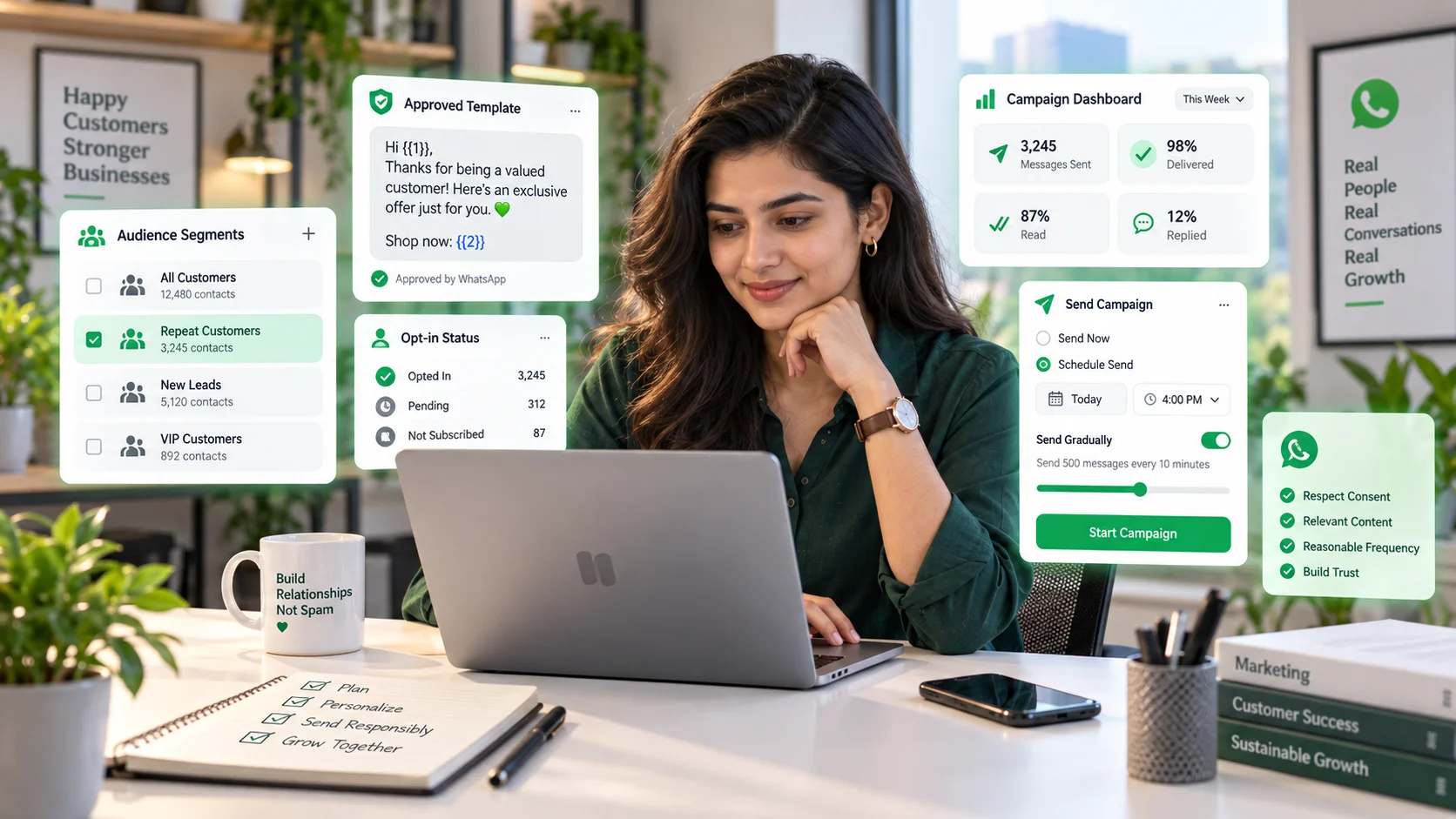
Businesses often search for ways to send 500, 1,000 or even 10,000 WhatsApp messages at once. The technical question is easy. The harder question is how to do it without damaging deliverability, violating policy or annoying the very customers you are trying to reach.
This guide explains how bulk WhatsApp messaging should work for legitimate businesses: with consent, approved messaging flows, relevant segmentation and an official business setup.
Can businesses send bulk WhatsApp messages?
Yes, businesses can send messages at scale through the WhatsApp Business Platform and supported business tools, but this is not the same as using an unrestricted “message blaster.”
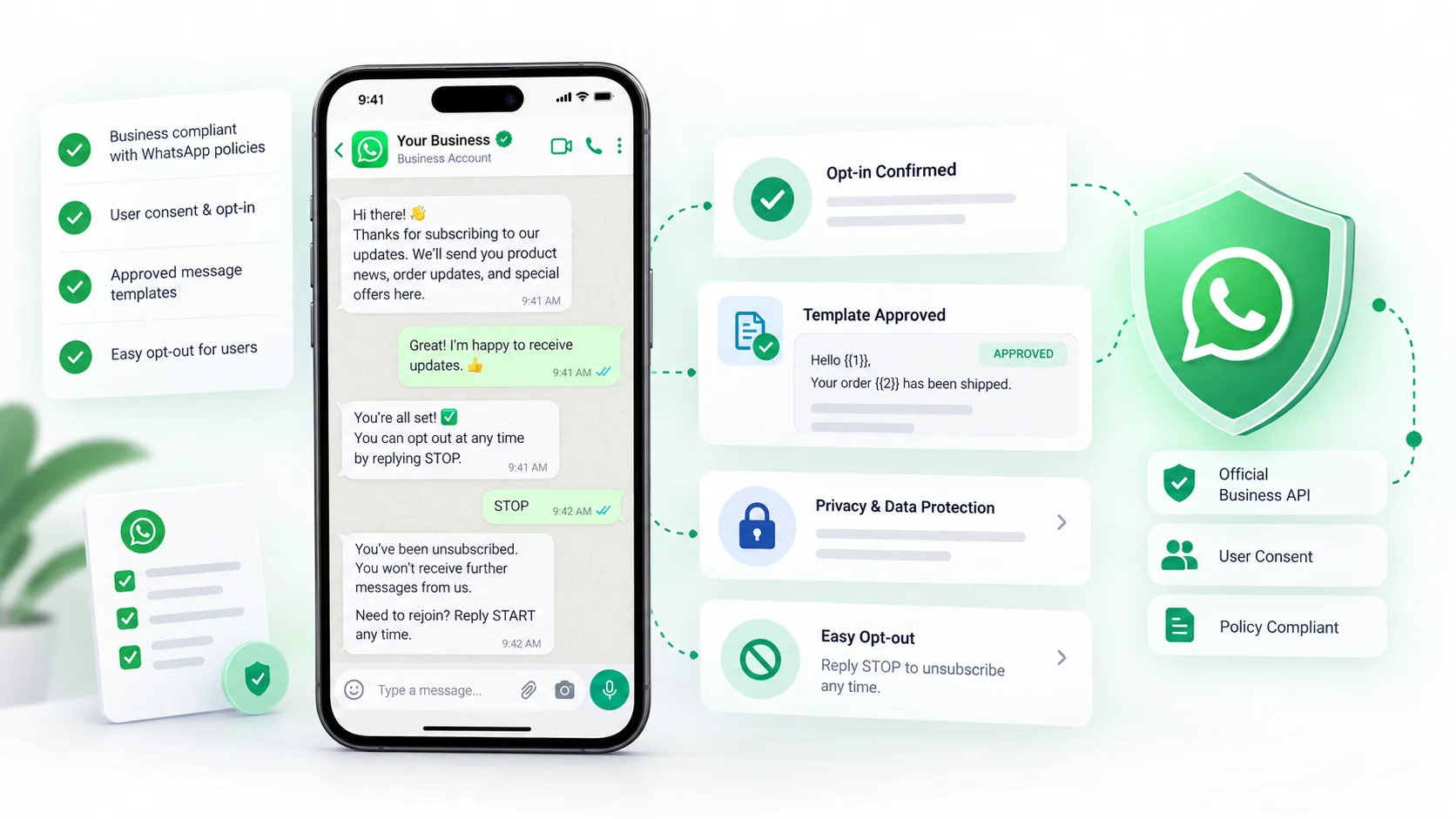
WhatsApp’s current Business Messaging Policy says businesses should only contact people who have provided their mobile number and opted in to receive messages from the business. It also requires approved message templates for certain business-initiated communication outside the 24-hour customer-service window.
That means the correct question is not “How do I bypass WhatsApp limits?” It is “How do I build a permission-based messaging operation that can scale?”
How to send 1,000 WhatsApp messages at once
For an official business workflow, the process generally looks like this:
- Build a list of contacts who have validly opted in.
- Segment the list based on the reason for the message.
- Create an appropriate message template if required.
- Submit and use the template according to WhatsApp’s rules.
- Send through the WhatsApp Business Platform or a connected CRM/campaign tool.
- Monitor delivery, replies, opt-outs, blocks and quality signals.
- Remove people who no longer want messages.
The same logic applies whether the audience is 500, 1,000 or 10,000 people. Scale changes the operational risk, not the consent requirement.
Is there a free unlimited WhatsApp message sender?
Tools that promise unlimited free bulk messaging should be treated cautiously.
A business-grade WhatsApp setup has policy, account-quality and messaging constraints. Unofficial tools that imitate WhatsApp Web, scrape contacts or blast unsolicited messages can create account and reputational risk.
For a legitimate business, “unlimited” is not a useful goal. The useful goal is relevant messages to people who expected to receive them.
Why opt-in matters
Opt-in is not just a checkbox to protect the platform. It changes the quality of the audience.
A person who explicitly asked for order updates, appointment reminders or product offers is more likely to engage than someone whose number was imported from an unrelated database.
WhatsApp’s policy says businesses should contact people only after they have provided their number and given permission to receive messages on WhatsApp. It also requires businesses to respect opt-out requests. Review the official Business Messaging Policy for current requirements.
Good WhatsApp opt-in examples
Opt-in should be clear about both the channel and the business.
Examples include:
- a website checkbox that says the customer agrees to receive order updates on WhatsApp;
- a checkout option for WhatsApp delivery notifications;
- a lead form that clearly says follow-up will happen on WhatsApp;
- a QR code or click-to-WhatsApp entry point where the user starts the conversation;
- a preference center where the user chooses marketing or service updates.
A phone number appearing in your database is not the same thing as permission for every type of WhatsApp message.
Segment before you send
The easiest way to make bulk messaging feel like spam is to send the same message to everyone.
Segment audiences by information that changes the relevance of the message, such as:
- customer vs prospect
- product category
- location
- last purchase
- booking status
- language
- engagement history
- consent category
If a segment does not change the message or timing, it may not be useful. Segmentation should improve relevance, not create administrative work for its own sake.
How to write a bulk WhatsApp message people actually want
A good business message answers four questions quickly:
- Who is contacting me?
- Why am I receiving this?
- What is the useful information or action?
- How can I stop future messages if I do not want them?
Avoid long introductions, vague urgency and bait-style language. WhatsApp is a personal messaging channel, so clarity matters more than cleverness.
Marketing, utility and service messages are not the same
A promotional offer, an order update and a response to a customer question are different communication contexts.
Your CRM or messaging platform should help the team understand which workflow it is using and which WhatsApp rules apply. Do not treat every outbound message as a campaign simply because the tool has a “Send” button.
What happens after someone replies?
Bulk messaging should not end at delivery. Replies need ownership.
Before sending a large campaign, decide:
- which team will receive replies;
- how new conversations will be assigned;
- what response time the team can realistically maintain;
- which replies can be automated;
- when a human should take over.
If 5% of 10,000 recipients reply, that is 500 conversations. The campaign is only successful if the operation can handle the response.
How a CRM helps with large WhatsApp sends
A CRM can connect campaign activity with customer context instead of treating each reply as a new anonymous chat.
Useful capabilities include:
- audience segmentation
- template management
- contact history
- reply routing
- team assignment
- opt-out tracking
- campaign and conversation analytics
- ecommerce or order context
For the underlying CRM model, see our WhatsApp CRM guide. For workflow design, see the WhatsApp automation guide.
Can I send 10,000 messages on WhatsApp?
Large-volume sending can be possible for eligible business accounts using official infrastructure, but volume is not just a software setting. Meta/WhatsApp account quality, messaging limits, template rules, audience consent and applicable pricing all matter.
Do not plan a 10,000-recipient campaign as if it were simply 10 times a 1,000-recipient campaign. You also need to plan:
- reply volume
- support staffing
- segmentation
- opt-out handling
- quality monitoring
- cost
How much does bulk WhatsApp messaging cost?
Total cost can include:
- your CRM or campaign platform subscription;
- applicable WhatsApp Business Platform messaging charges;
- extra users or message capacity;
- automation or AI usage;
- additional integrations.
Pricing can change and may vary by message type or destination. Avoid using old rate cards when planning current campaigns.
Our free WhatsApp CRM guide explains the difference between software cost and channel usage cost in more detail.
Common bulk WhatsApp messaging mistakes
Buying contact lists
A purchased phone number list does not create meaningful consent.
Sending the same promotion to everyone
Irrelevant campaigns increase the chance of blocks and complaints.
No opt-out process
Businesses should honor requests to stop or unsubscribe.
Ignoring replies
A campaign can generate more conversations than the team can handle.
Using unofficial “sender” tools
Short-term convenience can create long-term account risk.
Measuring only delivery
Delivery is not the business outcome. Track replies, conversions, bookings, revenue or resolution depending on the campaign goal.
A practical pre-send checklist
- Audience has valid opt-in for this type of message.
- Message is relevant to the selected segment.
- Required template is approved.
- Links and dynamic fields have been tested.
- Reply ownership is defined.
- Opt-out process is clear.
- Team capacity matches expected reply volume.
- Tracking is configured for the actual goal.
Frequently asked questions
How can I send 500 WhatsApp messages at once?
Use an official WhatsApp Business Platform or supported campaign tool, send only to opted-in recipients, use the appropriate approved template where required and monitor replies and opt-outs.
How can I send 1,000 WhatsApp messages at once?
The process is the same as smaller sends, but audience quality, account eligibility, operational capacity and WhatsApp messaging rules become even more important.
How do I send 10,000 messages on WhatsApp?
Use official business infrastructure and plan for consent, account limits, template requirements, cost, quality and the large reply volume a successful campaign can generate.
Is there a free unlimited WhatsApp sender?
Be cautious with “unlimited free sender” claims. Official business messaging has platform policies and applicable usage rules; unofficial bulk tools can create account and compliance risk.
Final takeaway
Bulk WhatsApp messaging is not a shortcut to reach as many numbers as possible. It is a way to communicate efficiently with people who actually expect to hear from your business.
Build permission first, segment carefully, prepare for replies and use official infrastructure. That produces a healthier customer channel than chasing “unlimited” sending.
If your team needs one place to manage WhatsApp conversations, assignments, customer history and ecommerce context, explore DotsFlow CRM.




1 Comment
[…] For the operational side of compliant high-volume messaging, read our guide on sending bulk WhatsApp messages without spamming customers. […]