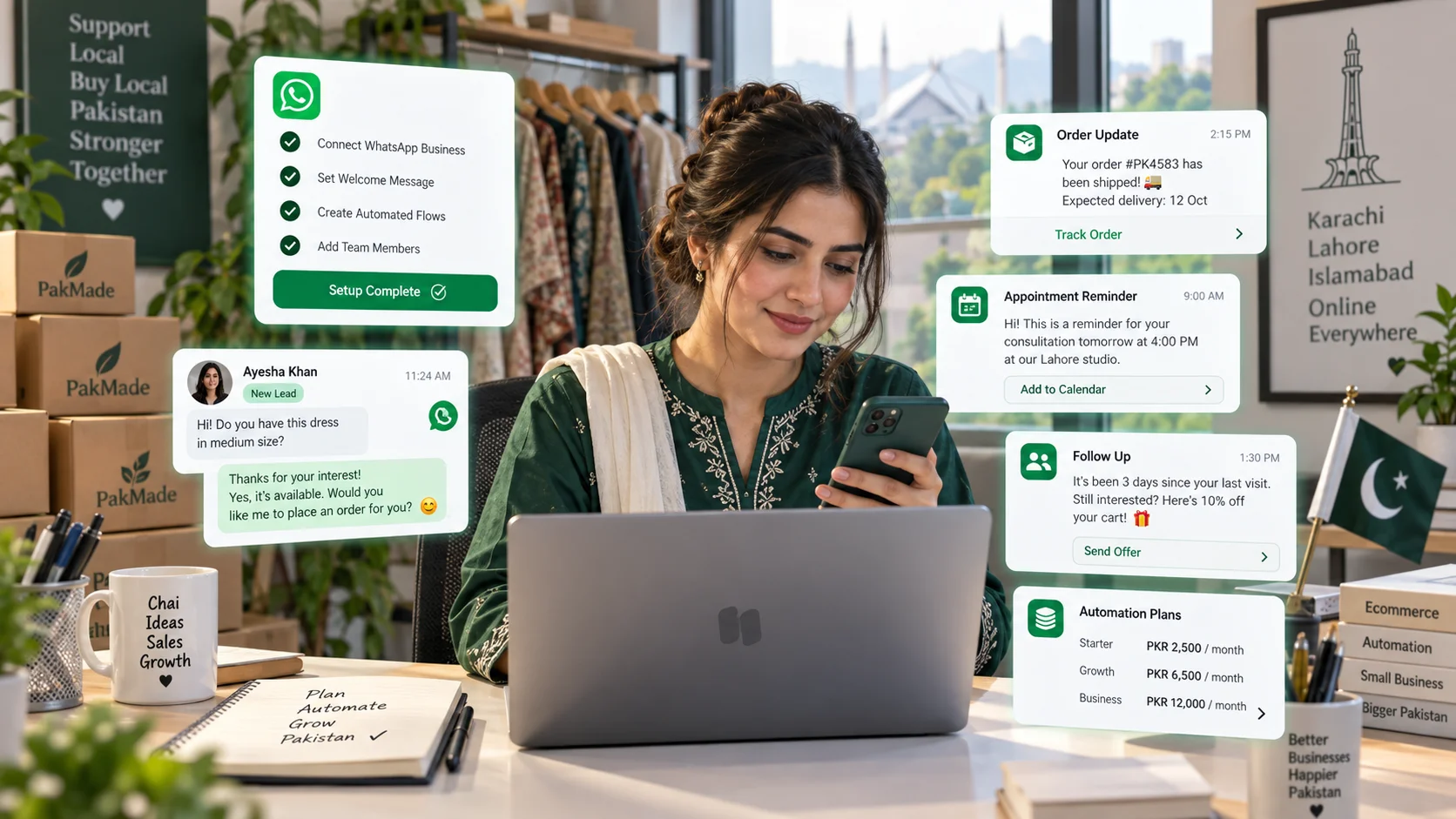
WhatsApp automation can save a team hours of repetitive work—but only when it is designed around real customer journeys.
The goal is not to make every conversation robotic. The goal is to automate predictable steps such as acknowledgements, routing, qualification, reminders and status updates so human agents can spend more time on situations that need judgment.
This guide explains how WhatsApp automation works, what businesses can automate, where human handoff matters, and how to build workflows that improve the customer experience instead of making it worse.
What is WhatsApp automation?
WhatsApp automation means using rules, workflows or software to perform actions automatically when a customer message, event or condition occurs.
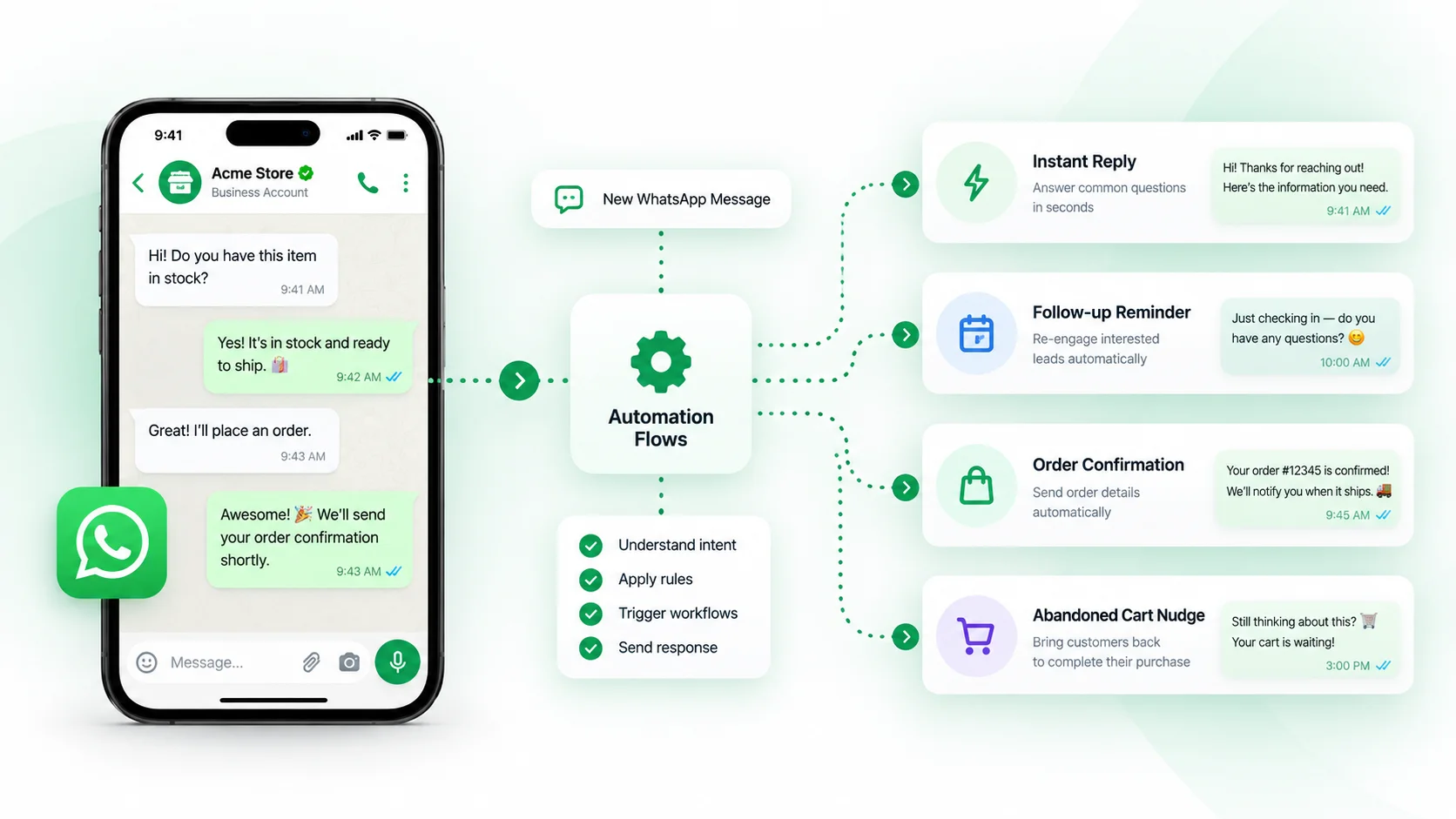
An automation might send an acknowledgement, assign a conversation to a team member, ask a qualification question, update a lead status, create a support ticket or trigger a follow-up.
Automation can be simple or sophisticated. A small business may only need welcome and out-of-office replies. A larger operation may combine routing rules, ecommerce events, AI-assisted replies and human handoff.
How can I automate my WhatsApp?
The practical route depends on your scale.
- WhatsApp Business app: suitable for basic quick replies, greetings and away messages.
- WhatsApp Business Platform: suitable for structured business messaging, templates, integrations and larger-scale operations.
- CRM or conversation platform: adds team assignment, customer history, workflow automation, analytics and connections to other systems.
If multiple people handle customer messages or you need WhatsApp connected to ecommerce, support or sales processes, a CRM layer is usually more useful than isolated auto-replies. For the broader CRM model, see our WhatsApp CRM guide.
What should you automate first?
Start with repetitive work that has a clear rule and a clear next step.
1. Welcome messages
A short acknowledgement can confirm that the customer reached the right business and set expectations for what happens next.
2. Out-of-office handling
If the team is unavailable, automation can acknowledge the message, share operating hours and capture enough information for follow-up.
3. Lead qualification
Instead of asking the same questions manually, a workflow can collect details such as service type, location, budget range, product interest or preferred appointment time.
4. Department routing
A customer asking about an order should not wait in the same queue as someone requesting a sales consultation. Routing rules can direct conversations based on intent, keywords, forms or customer attributes.
5. Ticket creation and escalation
When a support issue needs tracking, automation can create a ticket, assign ownership and notify the appropriate team.
6. Ecommerce events
Order confirmations, fulfilment updates, delivery questions and abandoned-cart follow-ups can be connected to store events when the platform supports Shopify, WooCommerce or another commerce system.
7. Follow-up reminders
Automation can remind agents—or trigger approved customer communication—when a lead or service request has not progressed.
What should not be fully automated?
Automation becomes harmful when the customer is trapped in a workflow that cannot understand the situation.
Keep a clear path to a person when conversations involve:
- complaints or emotionally sensitive issues
- refund disputes
- complex product or technical questions
- high-value sales decisions
- unusual requests that do not fit the workflow
- situations where the automation has low confidence
WhatsApp’s Business Messaging Policy explicitly allows automation in the customer service window but requires businesses to provide a clear escalation path where needed. That can include transfer to a human agent, phone, email, web support or another direct support route. Review the current WhatsApp Business Messaging Policy before designing production workflows.
Rule-based automation vs AI automation
| Approach | Best for | Example |
|---|---|---|
| Rule-based | Predictable conditions | If message arrives after hours, send an acknowledgement and create a follow-up task. |
| Menu / flow | Structured choices | Ask whether the customer needs Sales, Support or Order Help. |
| AI-assisted | Drafting or understanding flexible language | Suggest a reply using the business knowledge base. |
| AI agent | More autonomous multi-step handling | Answer common questions, collect requirements and hand off when human attention is needed. |
The mistake is assuming AI should replace every rule. Many operational workflows are safer and easier to audit when the logic is explicit.
Is WhatsApp automation free?
Basic automation in the WhatsApp Business app can be free, but business-grade automation may involve several cost layers.
- CRM or automation platform subscription
- WhatsApp Business Platform message charges where applicable
- AI or automation usage limits
- additional team members or integrations
That is why “free automation” is often the wrong buying criterion. The more useful question is whether the workflow saves enough time or improves enough conversions to justify its total operating cost.
How WhatsApp policy affects automation
Automation does not remove WhatsApp’s messaging rules.
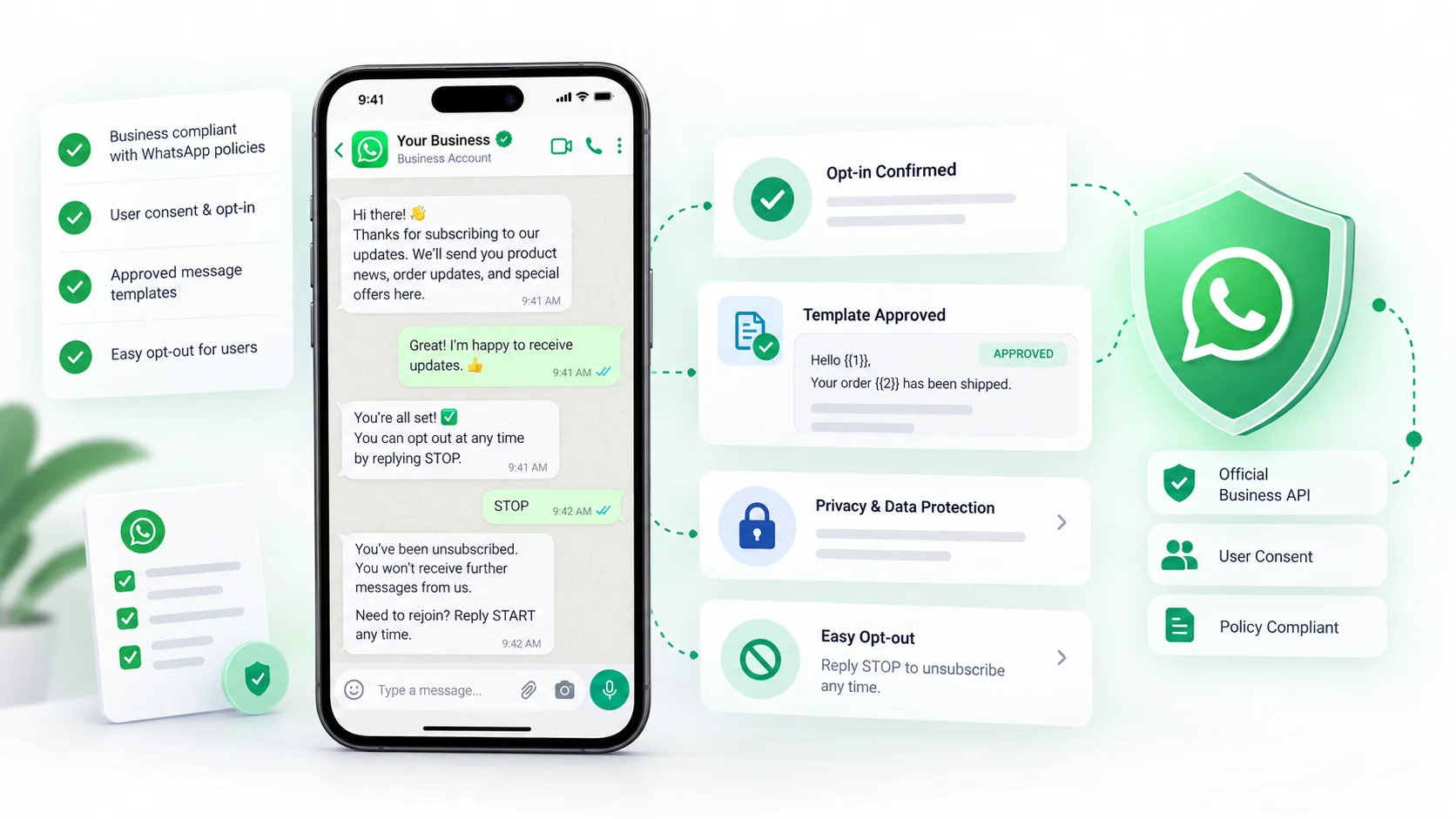
According to WhatsApp’s current Business Messaging Policy, a business should only contact people who provided their mobile number and opted in to receive messages from that business. The policy also distinguishes the 24-hour customer service window from business-initiated messaging outside that window, where approved message templates are generally required.
In other words, a workflow is not compliant simply because software can technically send the message. Consent, message type and timing still matter.
A practical WhatsApp automation architecture
For most growing teams, a useful automation setup looks like this:
- Entry point: the customer sends a WhatsApp message or a business event triggers a permitted message.
- Identify: match the customer to an existing contact where possible.
- Understand: determine intent using a rule, selection menu or AI classification.
- Route: send the conversation to the right workflow, department or agent.
- Act: answer a common question, collect details, update a record or trigger another system.
- Escalate: hand off when the automation should stop.
- Record: save the outcome so the next interaction starts with context.
Example: ecommerce WhatsApp automation
Imagine an ecommerce customer sends: “Where is my order?”
A good workflow could:
- identify the customer from the WhatsApp number;
- retrieve the recent order context;
- show the order status to the agent or automation;
- reply with the relevant update;
- create a support task if the order is delayed;
- save the conversation against the customer profile.
The customer gets a faster answer without the team searching through several systems.
Example: service business lead qualification
A home-services business might receive “I need AC repair.”
The workflow could collect:
- location
- service required
- urgency
- preferred time
- contact details
Then it can assign the enquiry to the correct team. The automation is useful because it structures the request; it does not need to pretend to be a technician.
How to measure whether automation is working
Do not measure success only by how many messages were automated.
Useful metrics include:
- time to first response
- percentage of conversations successfully routed
- handoff rate
- resolution time
- lead-to-opportunity conversion
- booking completion rate
- abandonment during automated flows
- customer blocks or negative feedback
A high automation rate with poor customer outcomes is not success.
Common WhatsApp automation mistakes
Automating before understanding the process
If the manual workflow is unclear, automation usually makes the confusion happen faster.
Asking too many questions
Qualification should collect only the information needed for the next action.
No human escape route
Customers should not have to fight a bot to reach support.
Ignoring consent and template rules
Technical ability to send a message does not override policy requirements.
Automating every conversation the same way
Sales, support, order issues and bookings often need different paths.
Frequently asked questions
How can I automate my WhatsApp?
For basic needs, use WhatsApp Business app features such as greeting and away messages. For team workflows, routing, integrations and advanced automation, use the WhatsApp Business Platform with a CRM or automation platform.
Is WhatsApp automation free?
Some basic automation is free, while business-grade automation can involve platform subscriptions, WhatsApp message charges and usage-based add-ons.
Is WhatsApp automation legal?
Automation itself is not inherently illegal, but businesses must follow WhatsApp policies and applicable local laws, especially around consent, privacy, spam and customer communications.
Can I automate customer support on WhatsApp?
Yes. Common uses include acknowledgements, FAQs, routing, ticket creation, order status and information collection, with human escalation for situations that need judgment.
Final takeaway
The best WhatsApp automation does not feel like “automation.” It feels like the business remembers the customer, responds consistently and sends the conversation to the right place quickly.
Start with repetitive work, keep humans available for exceptions, and connect the workflow to customer context. If you are building that kind of setup, explore DotsFlow CRM, review the available integrations, or book a demo.